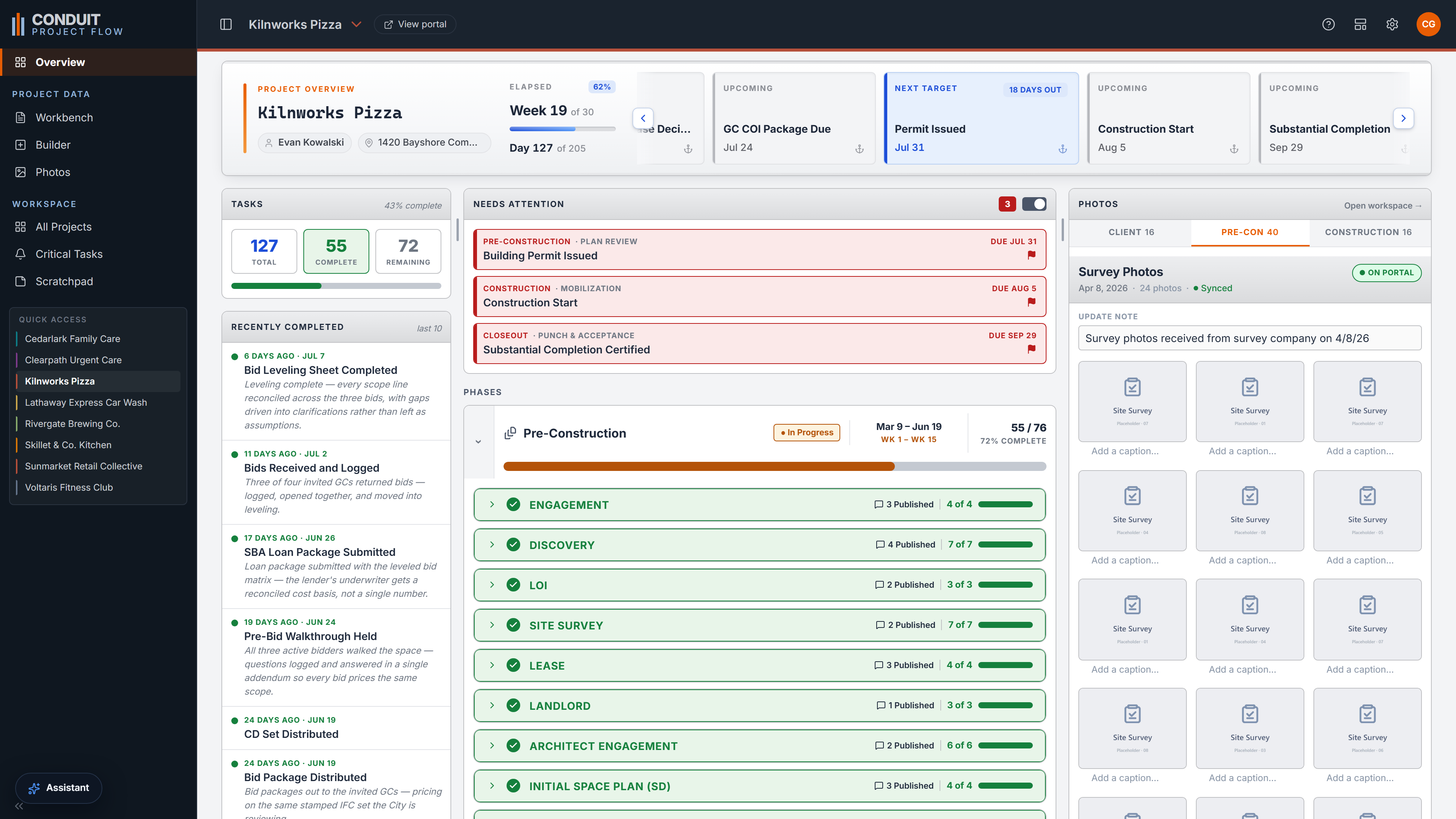
Overview
One command page for the whole project: the milestone banner, task roll-ups, what was just finished, what needs attention, and where every phase stands. The whole picture, already assembled.
Built for construction consulting PMs & Owner's Reps
Built for how a consulting PM actually works, across a full book of owners' projects from site selection through closeout. Not a GC tool bent to fit, but shaped to your scope and your language.
You carry more projects at once than a builder ever would, most of them alike, all sitting at different stages, and a question can land about any one of them at any moment. Conduit gives you full sight on any project, at any focus, in seconds. Pick a project, choose a focus, and the screen narrows to that one thing: its running notes, and only the tasks that fall under it. Design each project once, let a single date engine keep every date honest, and move between jobs without losing your place.
The problem is volume
The hard part of the job was never any one task. It is holding all of them at once.
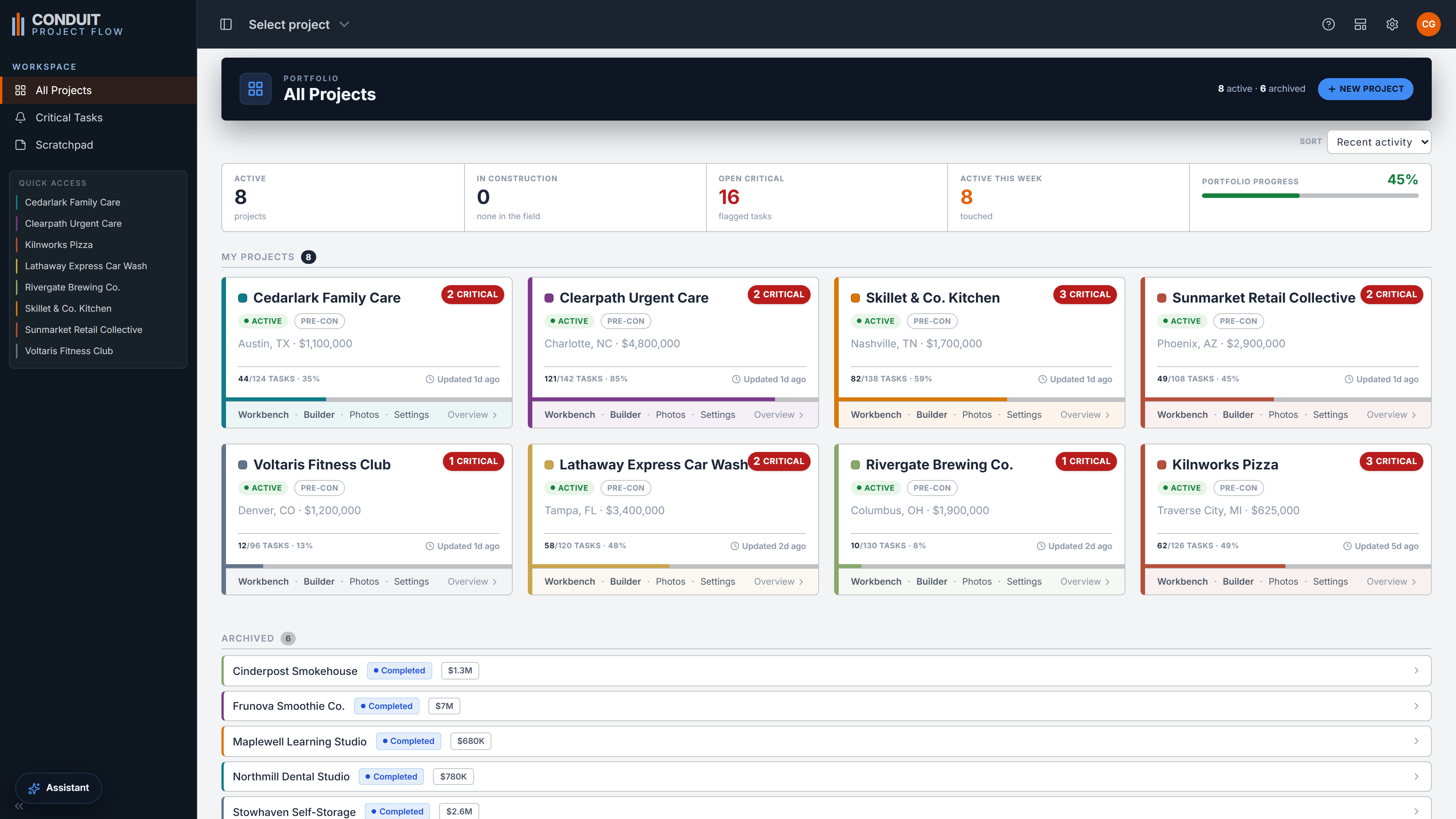
An owner's rep carries a full book of projects at once, and most of them rhyme. The same phases, the same kinds of steps, all running at different stages. So the hard part of a question is rarely the answer. It is getting back to the project in your head: which one, what stage, where it stood the last time you looked. That reset happens all day, and it is where the hours quietly go. Conduit takes it off the table. Land on a project and the whole thing reads clean again in seconds.
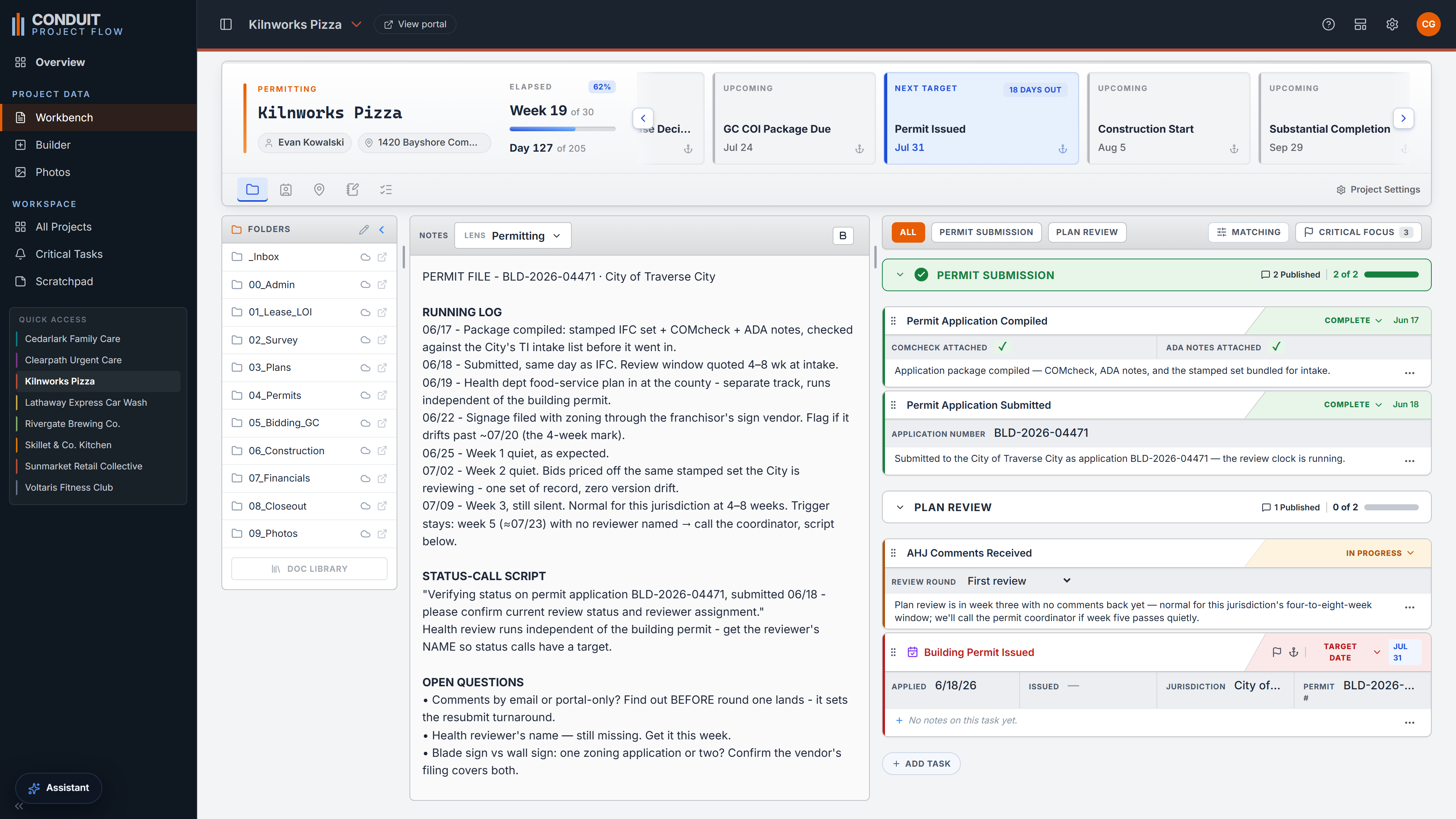
The Workbench · your daily driver
The Workbench is where you land when you open a project, and its whole job is to put one project, at one focus, fully in front of you. Choose a focus and its running notes fill the middle while the task list on the right narrows to only the work that focus covers. Everything else you reach for stays a click away down the side: folders, contacts, site data, meeting minutes, and a live read on progress. A row of milestone cards keeps the key dates in view, each one a click from a quick adjust. When you need to see only what is critical, Critical Focus strips the list down to flagged work and leaves your notes exactly where they were.
The Builder · your design studio
You lay a project out once: the milestones, what waits on what, and the work that hangs off each one. After that, the dates keep themselves honest. Push a milestone and everything tied to it slides with it, so a permit that lands two weeks late does not turn into an afternoon of re-dating the schedule by hand. You are never typing dates into a calendar. You are describing how the job is strung together, and Conduit keeps the rest true to it as the real dates come in. Before any change commits, a plain-English receipt spells out what moves, so a date is never a surprise.
Everything the job needs
The Workbench and the Builder are the two ends of the product: where you work, and where you design. Around them, Conduit carries the rest of the consulting PM's job.
One command page for the whole project: the milestone banner, task roll-ups, what was just finished, what needs attention, and where every phase stands. The whole picture, already assembled.
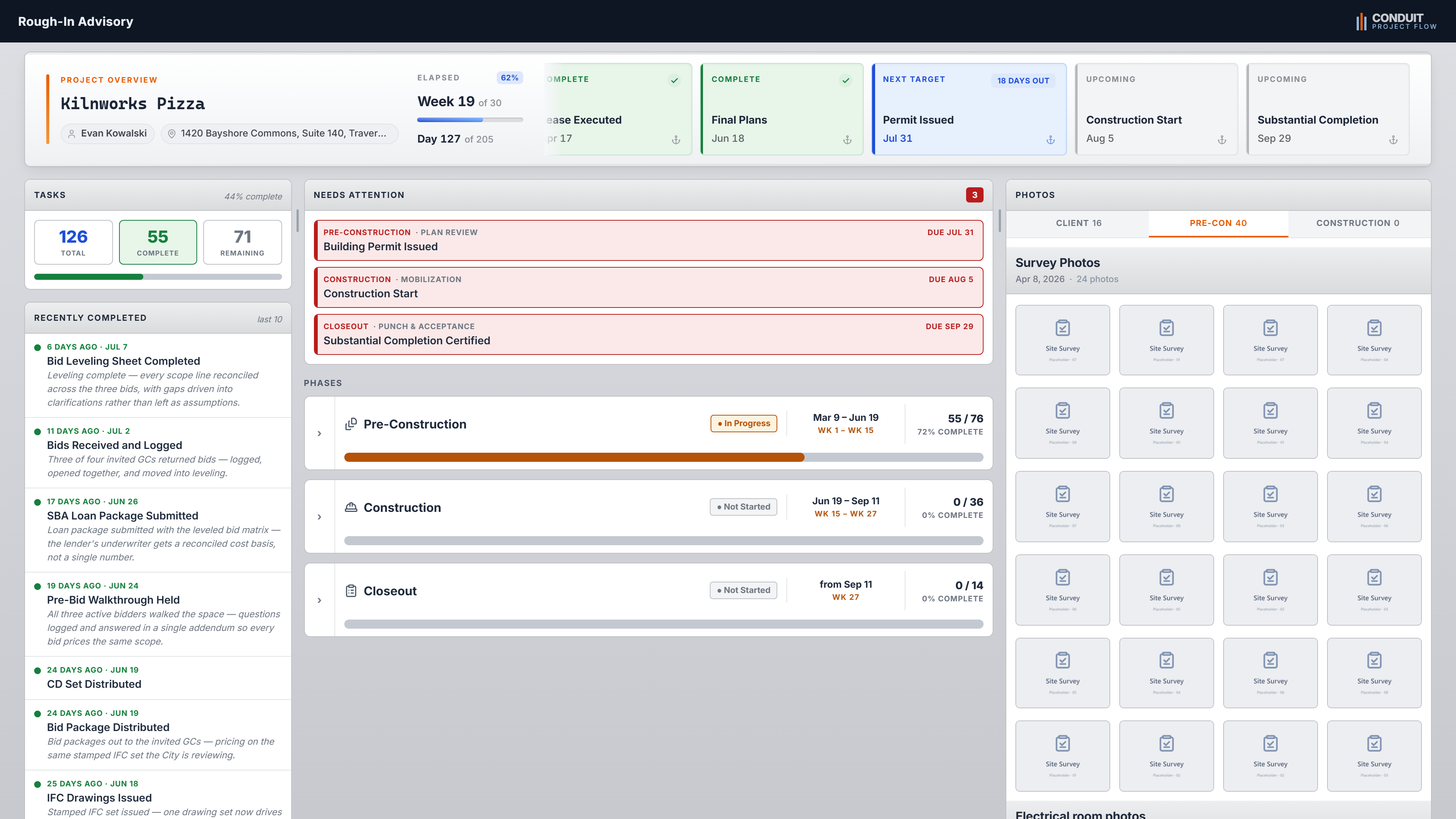
A read-only view of the project behind a PIN. Clients and franchisors check status themselves, so the same three status emails stop landing in your inbox. You control exactly what crosses to them, down to costs and internal notes.
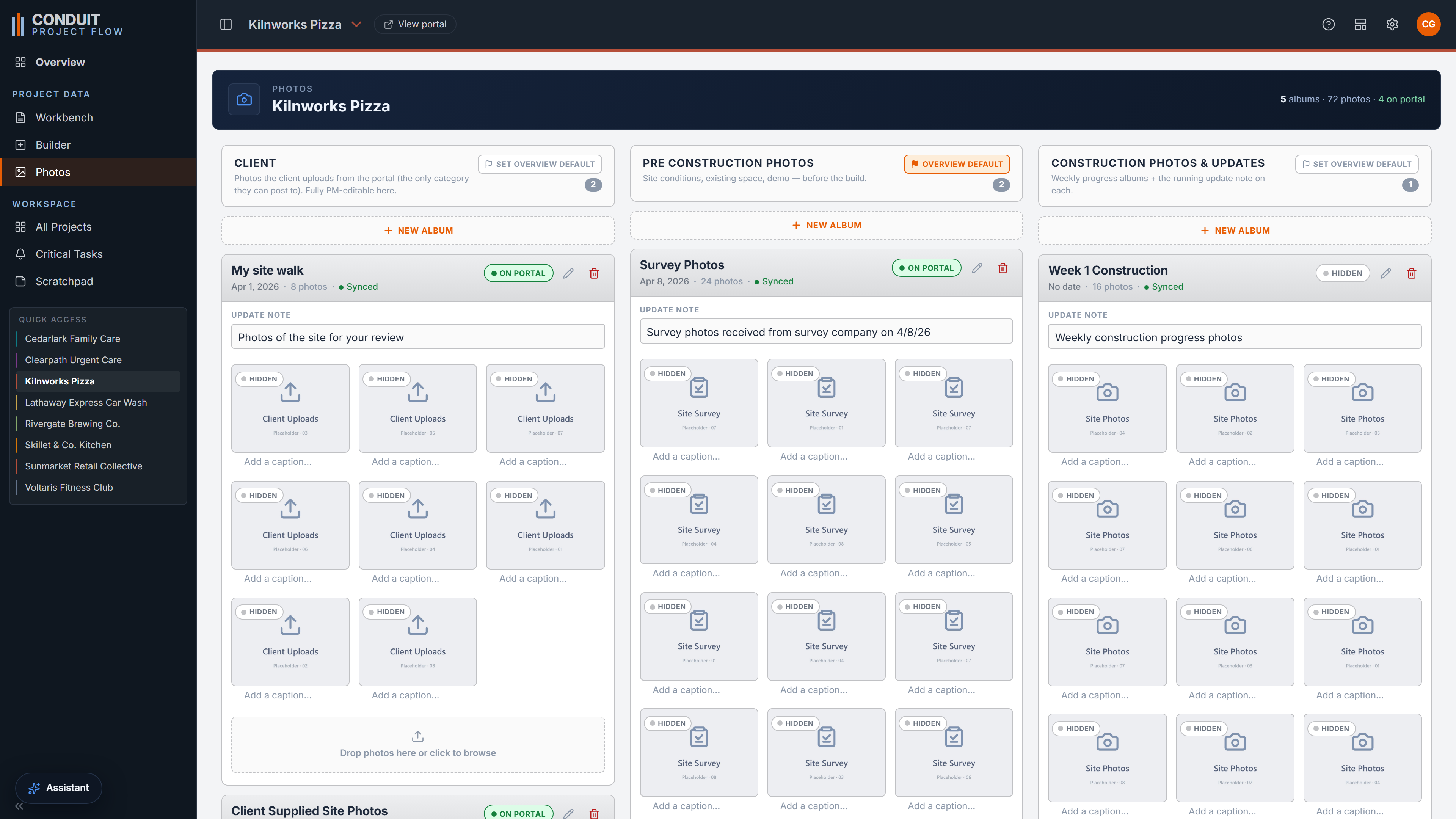
A client-upload album your clients post to from the portal, alongside your own pre-construction and construction sections. Photos are dated and captioned, and any album can be hidden from the client with a single toggle.
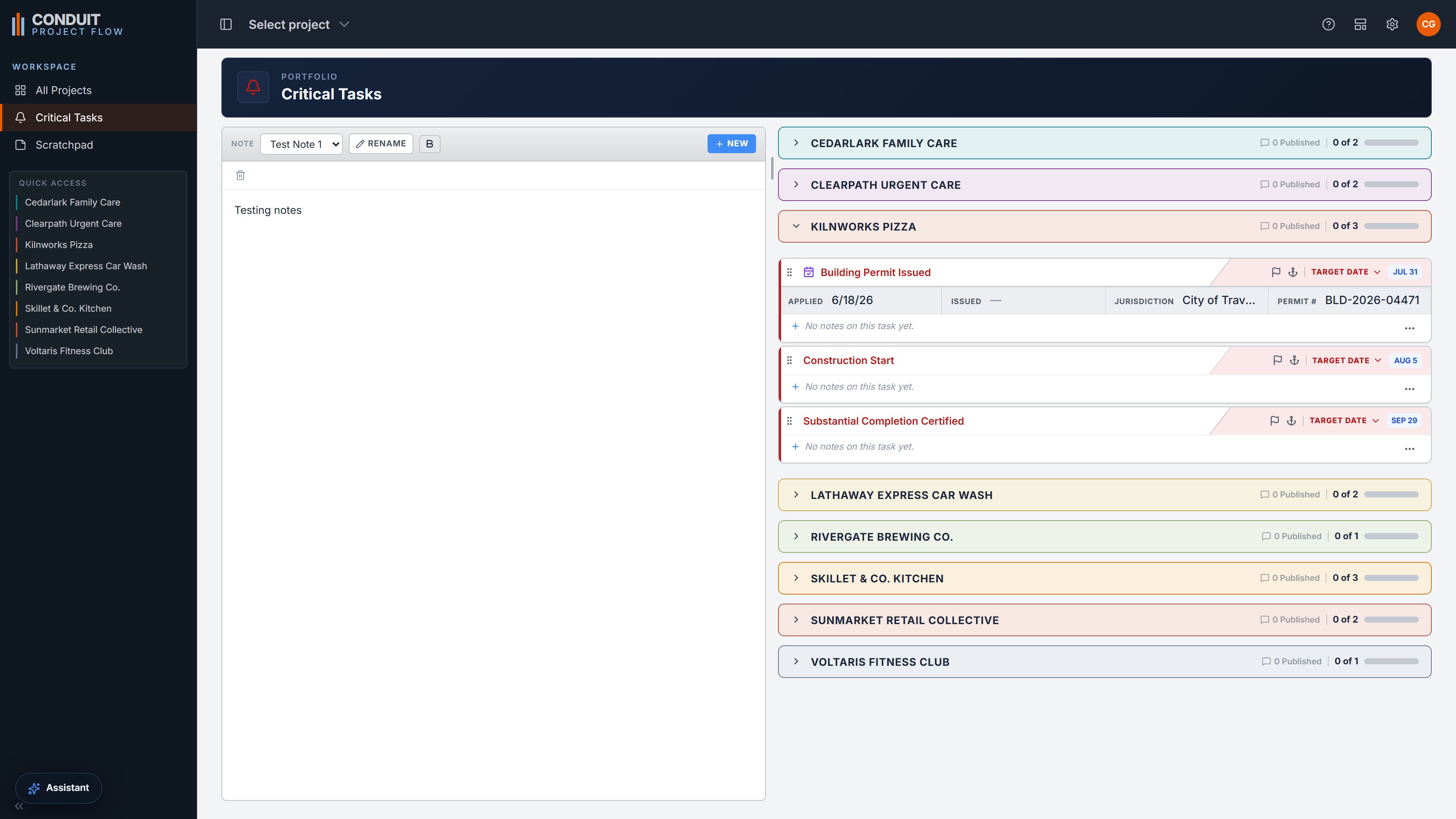
Every flagged task across every project, pulled into one list with its own notepad, so you can plan a week that spans your whole book of projects without anything critical hiding inside one of them.
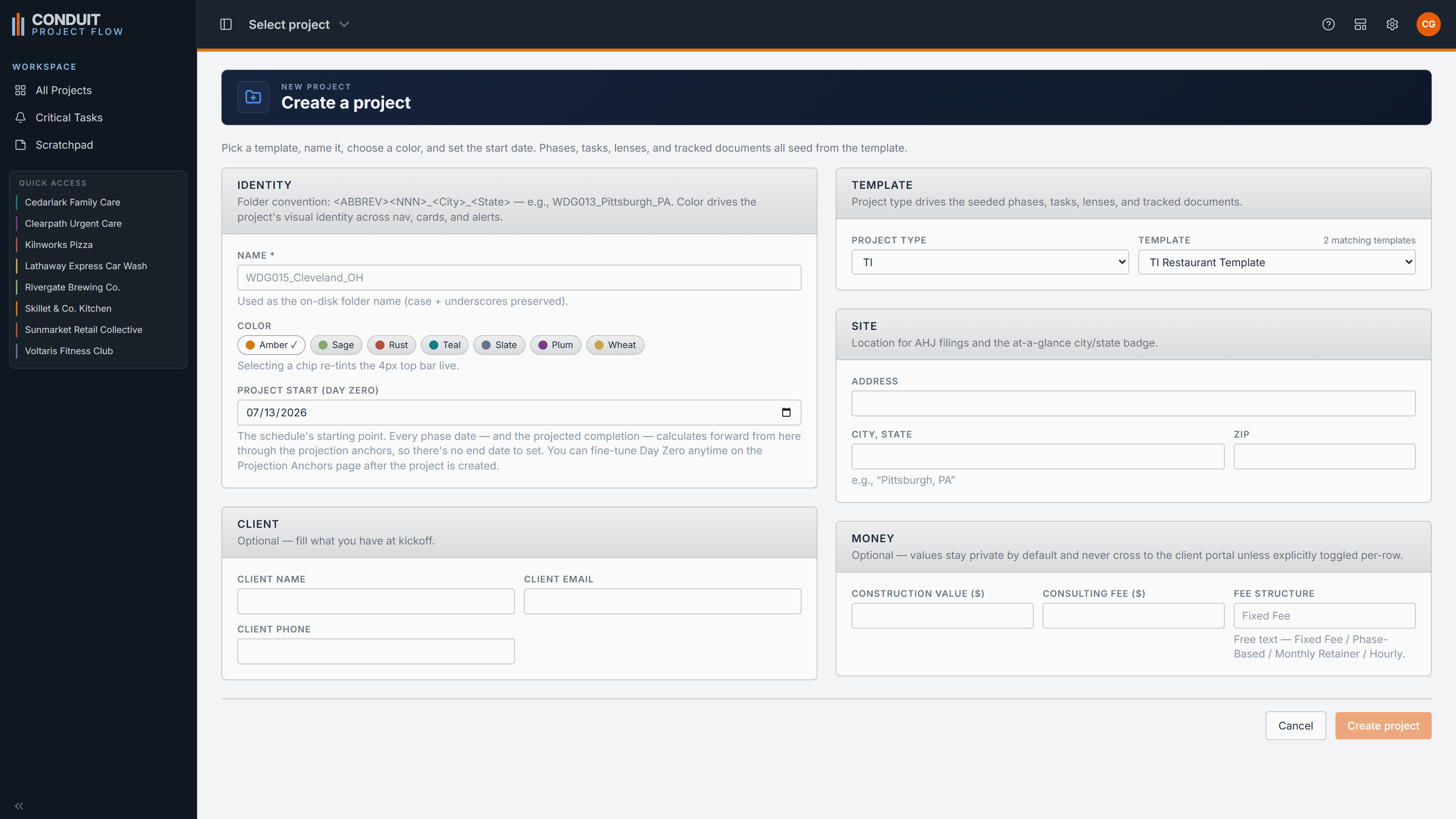
Ships with a TI template and a ground-up template. A new project and a start date stamp out a fully independent job in seconds, with phases, tasks, lenses, and tracked folders already in place.
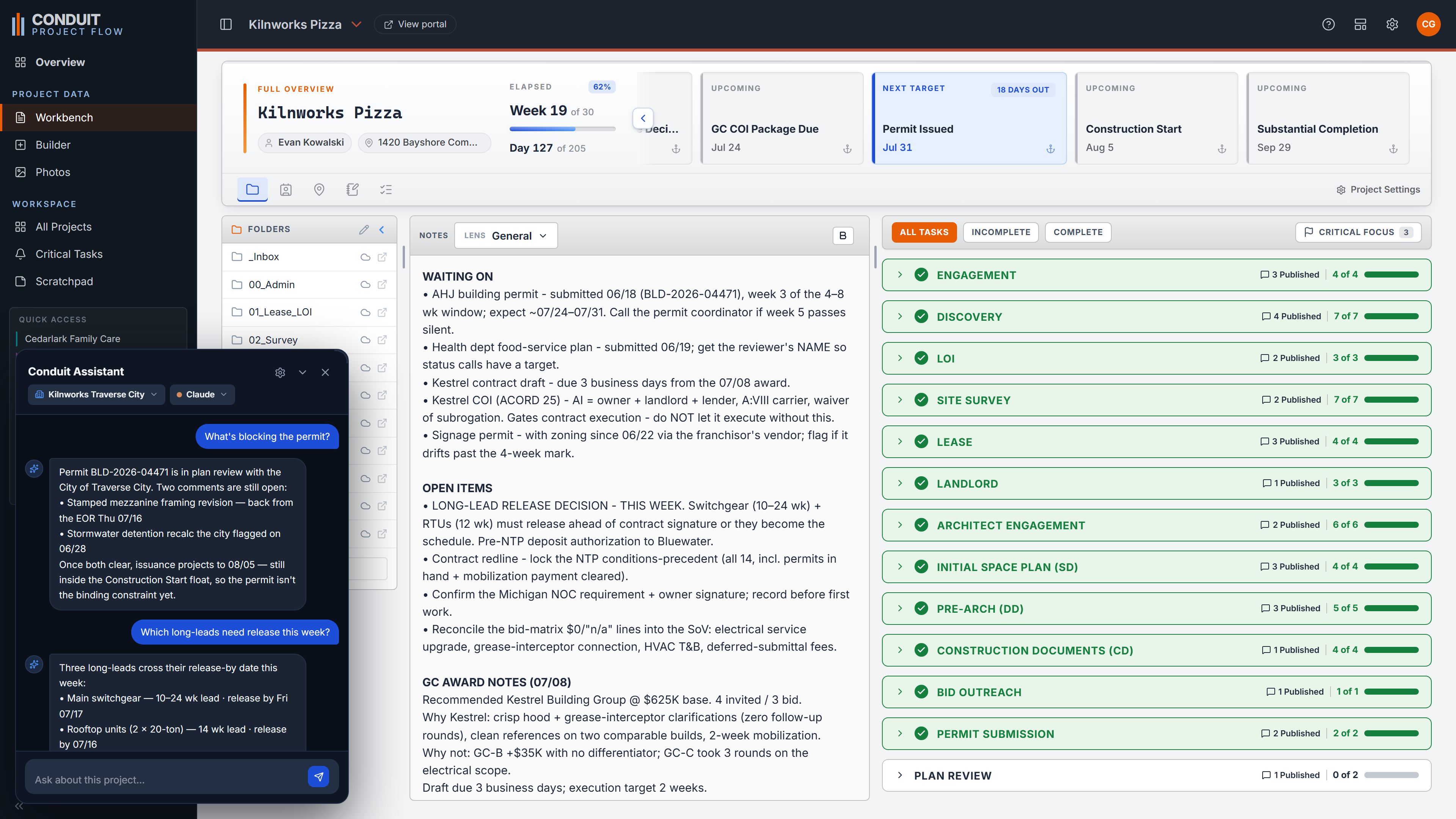
A copilot scoped to the project you are in. Ask what is holding up the permit, and it reads the live schedule to answer, then drafts the email that has to go out next.
Who it's for
A GC's project manager lives inside one or two deep builds. A consulting PM lives across a full book of owners' projects at once, from the first conversation through final closeout. That is a different job, and the tools built for the GC quietly force it into the wrong shape. Conduit is built for the consulting workflow instead: coordination, oversight, and full sight across a whole portfolio.
See who it's forThe owner's side
One surface for every project, shaped for the consulting workflow instead of bent from a GC tool.
Full sight on any project, at any focus, in seconds. Book a demo to see the Workbench and the Builder on your kind of job, or get started and bring your whole book of projects into one place.